External Hospital API
Complete API documentation for hospital-scoped external API key system for CRMs and partner integrations.
Last updated: April 7, 2026
Base Paths
API endpoints are organized under these base paths
POST https://server.nyraai.io/api/hospitals/:hospitalId/api-keys
API key creation (admin only)
https://server.nyraai.io/api/external/*
All external API endpoints for CRM/partner integrations
Authentication & Authorization
Think of the external API as a 3-lock door
All three authentication mechanisms must be valid for access:
Lock 1: API Key (x-api-key)
The public API key (example: nyra_...)
Lock 2: API Secret (x-api-secret)
The secret paired with the API key (kept confidential by the integrator)
Lock 3: Hospital Token (Authorization: Bearer)
Hospital-scoped token returned when the API key is issued (hex string for REST, typically about 24h TTL). Not the WebSocket JWT from ws-ticket.
External REST API requires all three credentials: x-api-key, x-api-secret, and Authorization: Bearer <hospital_token>. The WebSocket JWT from POST /api/external/ws-ticket is not valid for REST endpoints.
Important: Wrong key/secret/token returns 401 Unauthorized. Missing route permission returns 403 Forbidden.
Quick Start
Get up and running in minutes
1. Generate an API Key via Dashboard
Log in to the NyraAI admin dashboard and create your API key with required permissions.
📍 Dashboard URL:
https://hcs.nyraai.io/dashboard/api-keys📸 Dashboard Preview:
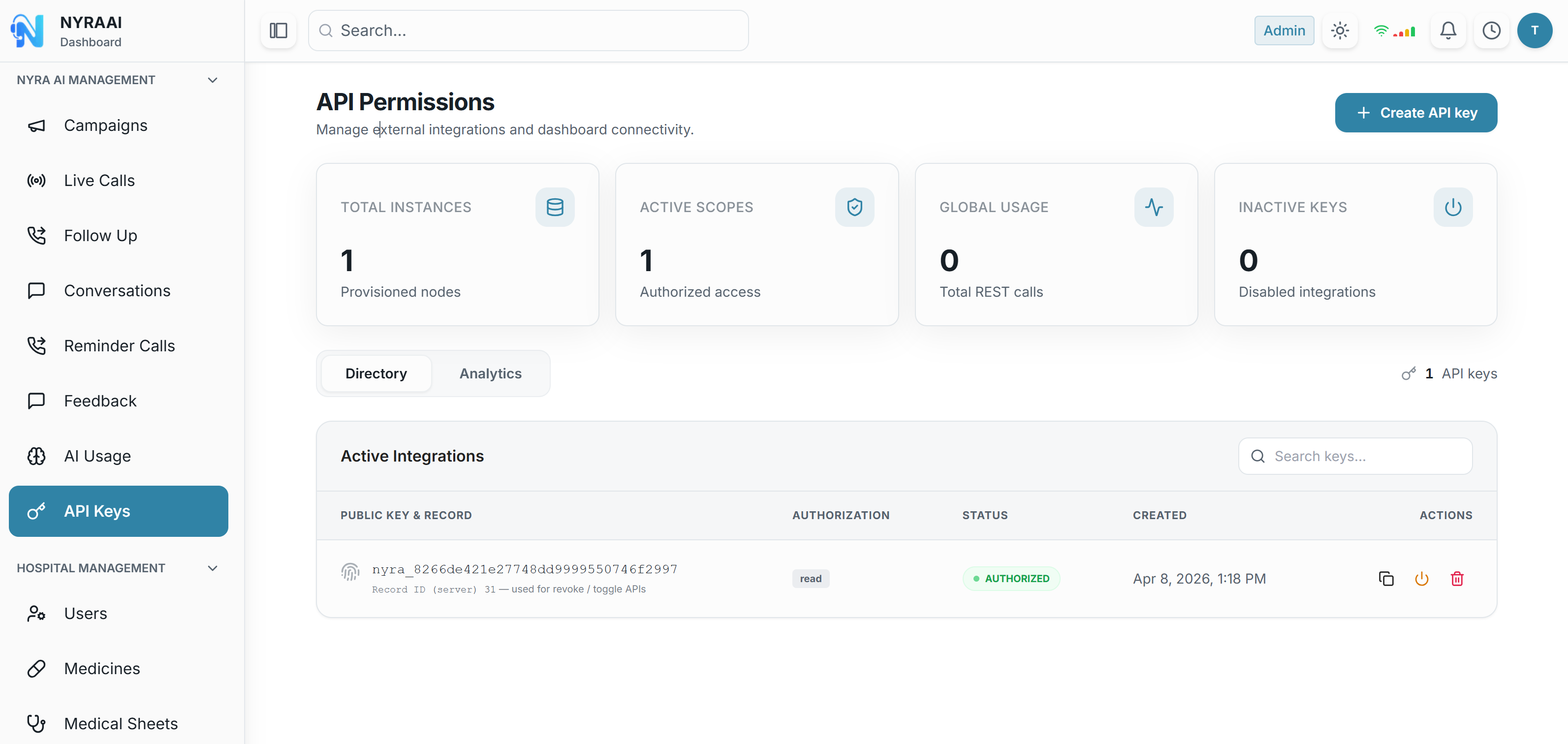
Navigate to the dashboard, click the blue "Create API Key" button (top right), and select your required permissions.
2. Copy the Credentials
After creation, you will receive three credentials. Save them securely:
Your Credentials (from Dashboard)
{
  "success": true,
  "data": {
    "key": "nyra_2f9a...",
    "secret": "aVeryLongBase64Secret...",
    "token": "a1b2c3d4e5f6789abcdef..."
  }
}
3. Use API Credentials
Include all three authentication headers in your API requests:
Make API Request
curl -X GET "https://server.nyraai.io/api/external/patients" \
  -H "x-api-key: nyra_2f9a..." \
  -H "x-api-secret: aVeryLongBase64Secret..." \
  -H "Authorization: Bearer a1b2c3d4e5f6789abcdef..."
Security Notes
Secret Management: The API secret is only shown once. Store it securely and do not share.
Hospital Scoped: API keys are scoped to a specific hospital. You cannot access data outside your hospital.
Permissions: Each API key has specific permissions. Request only the permissions you need.
Next Steps
- 📖 Read Getting Started for detailed setup instructions
- 🔐 Learn about Authentication in detail
- 📋 Check Patients API documentation
- 🧪 Follow our Testing Guide